
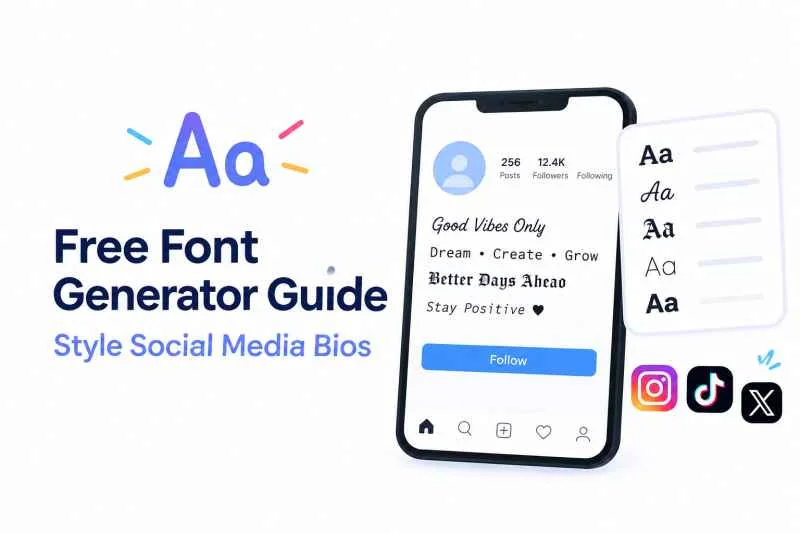
Social media influencers use a free font generator to bypass standard app limitations and display unique, stylized text in their profiles. By transforming standard text into custom Unicode glyphs, creators can instantly stand out in crowded discovery feeds. It takes less than thirty seconds to turn a plain text bio into something that looks like custom graphic design.
Look at any major lifestyle or fashion account today. You will probably notice small styling choices that break the default design rules of the platform. An influencer might use a delicate script for their name, or bold serif letters to highlight their business email. This is not a premium feature that you have to pay for. Anyone with an internet connection can copy these exact formatting styles.
Here is the truth about how these profiles get made, what tools actually work, and why you need to be careful before rewriting your entire digital presence.
Why Are Influencers Changing Their Bio Fonts?
The main reason creators change their typography is visual hierarchy. When a user lands on an Instagram or TikTok profile, they make a judgment in less than three seconds. Standard system fonts look uniform and flat. Customized lettering acts as a visual anchor that pulls the eye directly to the most critical details, such as a launch date or a discount link.
The Psychology Behind Aesthetic Typography
Different lettering styles trigger specific emotional associations. A minimalist creator might choose monospace text to convey a clean, tech-focused, or architectural vibe. Meanwhile, a beauty influencer often chooses cursive scripts to signal elegance and luxury.
Consider a fitness coach whose standard bio reads: “Online coaching available. New program drops Monday.” It looks exactly like every other coach on the platform. Now, change that announcement to heavy mathematical bold block letters. The urgency changes immediately. It looks like a headline rather than a casual sentence.
The Hidden Technical Trick: Unicode Characters
Social media apps do not actually support custom font files like a word processor does. You cannot upload a TrueType font to your TikTok profile settings. Instead, web tools use a system called Unicode.
Unicode maps over 140,000 characters across different scripts and symbols. When you use a specialized styling tool, it swaps standard western alphabet letters for specific math symbols, historical scripts, or obscure alphabet variations that look like styled English letters. The app reads these as unique characters rather than a change in font settings.
How Do You Use a Free Font Generator?
Transforming your profile text requires zero technical skill or design background. The process relies entirely on a basic copy-and-paste function. You type your phrase into a web tool, browse the automatically generated options, and paste the result into your profile editor.
A Step-by-Step Guide to Transforming Your Text
-
- Open a reliable web-based typography tool in your browser.
- Type your biography or name into the input field.
- Scroll through the generated list to find a style that matches your brand aesthetic.
- Highlight the stylized output text and copy it to your clipboard.
- Open your social media application and navigate to the “Edit Profile” screen.
- Paste the copied text into the bio or name field and save your changes.
Copying and Pasting to Instagram, TikTok, and X
While the copy-paste action is universal, different platforms handle these characters with varying success. Instagram is highly forgiving and lets you use custom symbols in your name field and main bio section. TikTok allows them, but the character limit is much tighter, so heavy characters can sometimes trigger spam filters if overused. X allows stylized text, but using it in your display name can make it difficult for people to tag you accurately in conversations.
What Are the Best Tools for Styling Bios?
You do not need to download sketchy mobile applications that track your data just to change your text layout. Web-based platforms are faster, safer, and completely free.
+----------------------+--------------------------+--------------------------+

| Tool Type            | Best Used For            | Key Advantage            |
+----------------------+--------------------------+--------------------------+

| Web-Based Generator  | Fast copy-pasting on     | No installation required;|
|                      | desktop or mobile        | works in any browser     |
+----------------------+--------------------------+--------------------------+

| Dedicated Bio Apps   | Full profile layouts     | Includes emoji packages  |
|                      | and spacing fixes        | and line break tools     |
+----------------------+--------------------------+--------------------------+
Top Web-Based Generators to Try Now
Most high-traffic creators use simple browser utilities. Tools like LingoJam or FontSpace let you input text and instantly view dozens of variations simultaneously. They require no account creation. You simply load the page, grab what you need, and leave.
Is Fonts Generator X Worth Using?
If you want a highly specific aesthetic look, Fonts Generator X provides a clean interface that separates text styles by category. Instead of forcing you to scroll through thousands of random symbol combinations, it groups options into clear buckets like gothic, italic, script, and double-struck. This saves significant time if you already know the exact look you want to achieve for your brand.
Common Mistakes to Avoid When Styling Your Bio
While custom typography looks great, it can seriously damage your account growth if you use it incorrectly. Most guides tell you to style every single word. That is terrible advice that will hurt your reach.
The Screen Reader and Accessibility Problem
Here is something most people miss: text-to-speech software cannot read most of these custom symbols. When a visually impaired user visits your profile, their screen reader will not say your name. Instead, it will read out the literal name of each Unicode symbol.
For example, if you change the word “Fashion” into mathematical bold script, a screen reader will literally say: “Mathematical bold script capital F, mathematical bold script small a…” It makes your profile completely incomprehensible to a portion of your audience.
Overcomplicating Readability for Your Audience
If your audience has to squint to figure out what your username is, they will click away. Intricate cursive scripts or tiny subscript fonts look terrible on small mobile screens, especially when users use dark mode. Keep your core message in standard text and use styled characters exclusively for single words or short call-to-action phrases.
Searchability Issues with Custom Fonts
Social media search engines rely on plain text to categorize accounts. If you replace your actual name or your niche keyword with stylized characters, the platform’s algorithm might fail to index your profile.
If someone searches for “Interior Designer” on Instagram, and your bio uses a gothic text generator for those exact words, your account will probably not show up in the search results. Always keep your primary searchable keywords in standard, unstyled text.
FAQ Section
Will using a free font generator get my social media account banned?
No, using these tools will not get your account banned. They use standard Unicode characters that social platforms naturally support. However, if you use them to spam comment sections or bypass automated content filters, your account could face restrictions.
No, using these tools will not get your account banned. They use standard Unicode characters that social platforms naturally support. However, if you use them to spam comment sections or bypass automated content filters, your account could face restrictions.
Why do some font styles look like blank boxes on my phone?
Blank boxes or question marks happen when an older phone or operating system does not support a specific Unicode character block. While newer smartphones display them perfectly, users running older software versions might see broken symbols instead of your styled text.
Blank boxes or question marks happen when an older phone or operating system does not support a specific Unicode character block. While newer smartphones display them perfectly, users running older software versions might see broken symbols instead of your styled text.
Can I use custom fonts in my Instagram captions and comments?
Yes, you can paste custom characters into captions, comments, and direct messages. Keep in mind that long blocks of styled text in captions make your content hard to read and can lower your overall audience engagement rates.
Yes, you can paste custom characters into captions, comments, and direct messages. Keep in mind that long blocks of styled text in captions make your content hard to read and can lower your overall audience engagement rates.
Does using Fonts Generator X affect my account’s search engine optimization?
Yes, it can negatively impact your searchability if you style your main keywords. Because search algorithms look for standard text strings, replacing your main industry words with stylized symbols makes it harder for platforms to suggest your profile to new users.
Yes, it can negatively impact your searchability if you style your main keywords. Because search algorithms look for standard text strings, replacing your main industry words with stylized symbols makes it harder for platforms to suggest your profile to new users.
Conclusion
The single most useful takeaway is to use custom typography as an accent, not as your main text. Keep your name, business category, and searchable keywords in standard plain text so people can find you easily. Use styled text from a generator exclusively for short calls-to-action, single-word highlights, or decorative elements that do not interfere with the accessibility of your profile.